
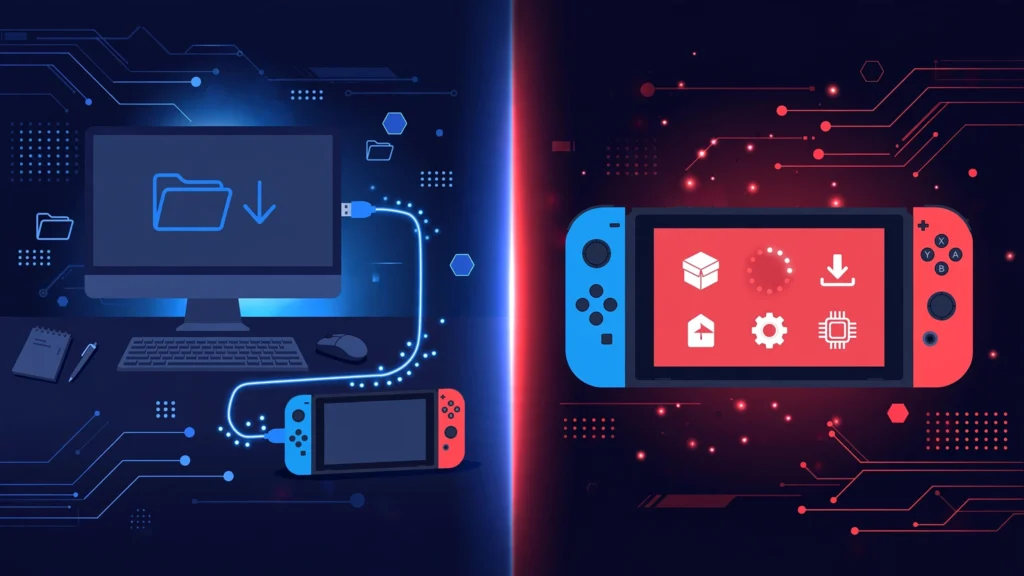
Here’s the thing nobody tells you when you start reading about Switch homebrew: ns usbloader vs tinfoil isn’t actually a versus. Not really. One of them is a program that runs on your computer. The other is an app that runs on your Switch. They do different halves of the same job — and in a lot of setups, they work together.
I spent my first week in this scene confused about exactly this, so let me untangle it properly. By the end you’ll know which setup fits how you actually use your Switch, instead of copying whatever some random tutorial told you to install.
What Each Tool Actually Is
NS USBloader: the desktop half
NS USBloader is a Java app that runs on your PC, Mac, or Linux box. Its job is simple: take files sitting on your computer and push them to your Switch over USB (or your local network). It doesn’t install anything by itself — it hands the files to an installer app already running on the console.
It speaks the USB protocols used by several on-console installers:
- Awoo Installer (and forks like TinWoo) — USB and network
- Goldleaf — USB (specific versions)
- Tinfoil — USB
So when people say “use NS USBloader,” they really mean “use NS USBloader plus one of these apps on the Switch.” The desktop program is the sender; the console app is the receiver.
Tinfoil: the on-console half
Tinfoil is an installer that lives on your Switch itself. The original (Adubbz Tinfoil) was a self-installer. Awoo Installer started life as a fork of Tinfoil, stripped down to a “no-bullshit” installer with a clean interface. TinWoo is another fork in the same family.
Modern Tinfoil has grown into a full-featured app: USB installs, network installs, NUT server support, and its own shop features. It’s the most capable on-console option — and also the most complex.
Here’s the key point: Tinfoil supports USB installs through NS USBloader’s protocol. So the real question isn’t “which one” — it’s “which workflow.”
The Two Workflows, Honestly Compared
Workflow A: NS USBloader + a lightweight installer (Awoo / TinWoo / Goldleaf)
You open NS USBloader on your PC, drag in your files, plug in the Switch with the installer app open in USB-install mode, hit upload, and watch it go. That’s the whole process.
What’s good about it:
- Dead simple. Two programs, one cable, done.
- USB transfers are fast and stable — no Wi-Fi dropouts mid-transfer.
- Works on Windows, macOS, and Linux (it’s Java).
- Great for moving your own homebrew builds, mods, and backups you made from cartridges you own.
- Awoo and TinWoo have clean, minimal interfaces — hard to mess up.
What’s not:
- You need your computer every time you transfer something.
- Driver setup on Windows (Zadig/libusbK) trips up a lot of first-timers.
- No frills — it’s a sender, not a file manager.
Workflow B: Tinfoil-centric (on-console, with optional PC help)
You do most things on the Switch itself: browse files on your SD card, install over the network from a local server, or plug in USB and use NS USBloader as the sender when you want speed.
What’s good about it:
- The most flexible option. SD card, USB, network, URL installs — all in one app.
- Network installs mean no cable at all once you’re set up.
- NUT server integration for managing a library from your PC over the network.
- Active development with the most features.
What’s not:
- More to learn. More menus, more settings, more ways to misconfigure something.
- Network installs are slower than USB and sensitive to Wi-Fi quality.
- The extra features add complexity most people never touch.
Head-to-Head: The Comparison Table
| NS USBloader + Awoo/TinWoo | Tinfoil (full setup) | |
|---|---|---|
| Runs on | Your PC (Java app) | Your Switch |
| Transfer methods | USB, local network | USB, network, SD card, URL |
| Needs a PC? | Yes, every transfer | No (except optional USB/NUT) |
| Speed | Fast over USB | Fast over USB, slower over Wi-Fi |
| Setup difficulty | Easy app, but Windows needs USB drivers | Moderate — more settings to learn |
| Interface | Minimal desktop window | Full on-console UI |
| Best for | Quick USB transfers, simple needs | Power users, network installs |
| Platforms | Windows, macOS, Linux | Switch (console) |
| Cost | Free, open source | Free |
Speed: USB vs Network, Real Talk
If raw speed is what you care about, USB wins. A direct USB connection moves files faster and more reliably than your home Wi-Fi, especially for large files. NS USBloader over USB is the fastest practical way to get files onto the console.
Network installs are convenient — no cable, no drivers — but they’re at the mercy of your router.
My take: use USB when you’re at your desk, network when you’re feeling lazy on the couch. There’s no rule saying you pick one forever.
Which One Should You Actually Use?
I’ll skip the fence-sitting:
Pick NS USBloader + Awoo (or TinWoo) if: you want the simplest possible workflow, you mostly transfer from one computer, and you like the idea of “plug in, send, done.” This is what I’d hand to a friend setting up their first modded Switch. It covers 90% of what anyone needs.
Go Tinfoil-centric if: you want network installs, you manage files from multiple devices, or you like having every option in one on-console app and don’t mind learning the menus. Power users tend to land here eventually.
The combo most experienced users end up with: Tinfoil (or Awoo) on the console for everyday use, NS USBloader on the PC for fast USB transfers when needed. They’re not rivals — they’re a toolkit.
One more thing: whatever you transfer, keep it legitimate — your own homebrew, mods, and backups of games you own. That’s what these tools are built for.
Frequently Asked Questions
Do I need both NS USBloader and Tinfoil?
Not necessarily. NS USBloader needs an installer app on the Switch (Awoo, TinWoo, Goldleaf, or Tinfoil) — it’s the sender, not the installer. Tinfoil can work standalone for SD-card and network installs, but pairs with NS USBloader for USB transfers.
Is NS USBloader better than Tinfoil for USB transfers?
For pure USB sending from a PC, NS USBloader is simpler and purpose-built. Tinfoil handles the receiving end. Most people use them together rather than choosing.
Does NS USBloader work on Mac?
Yes. It’s a Java app, so it runs on Windows, macOS, and Linux. On Apple Silicon Macs, grab the M1-specific build and install libusb via Homebrew (brew install libusb).
Why do people recommend Awoo over Tinfoil for USB?
Awoo (and its fork TinWoo) is a minimal fork focused purely on installing — fewer menus, fewer things to misconfigure. Tinfoil is more powerful but more complex.
Can I install files over Wi-Fi instead of USB?
Yes. Both NS USBloader and Tinfoil support network transfers. It’s convenient but slower than USB and depends on your Wi-Fi quality.
Is any of this legal?
The tools themselves are legitimate homebrew software. What’s legal depends on what you transfer and your local laws — stick to homebrew, mods, and backups of content you own.
Final Thoughts
Stop thinking of ns usbloader vs tinfoil as a rivalry. NS USBloader is the truck; Tinfoil (or Awoo, or TinWoo) is the loading dock. Pick the workflow that matches how you work.
If you’re just starting out, go with NS USBloader + Awoo. You’ll be transferring files within the hour. You can always grow into the fancier setups later — and honestly, most people never need to.
Download NS USBloader here and check our troubleshooting guide if your Switch isn’t showing up.