
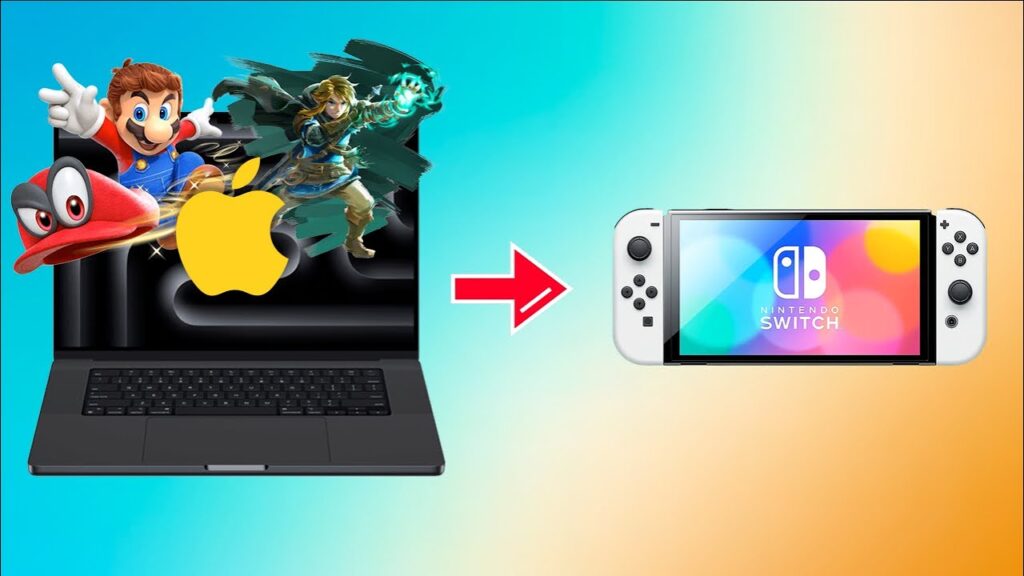
The Nintendo Switch has captivated millions with its hybrid design and impressive library of games, but for a segment of the tech-savvy community, its potential extends far beyond playing commercially purchased cartridges. This deeper exploration is made possible through the homebrew scene, a dedicated community of developers and users who unlock the console’s hidden capabilities. At the heart of this ecosystem lies a variety of specialized tools, among which the NS USBloader stands out as a particularly powerful and intriguing application for managing and launching software.
Fundamentally, an NS USBloader is a PC-based application designed to stream game files directly from a computer to a Nintendo Switch console over a local network. This process bypasses the need for physical game cards or large, expensive microSD cards inside the Switch itself. Instead, the game data resides on a USB drive or a computer’s hard drive, and the loader software sends this data to the console on demand. This technology opens up new possibilities for storage management and convenience, effectively turning a user’s computer into a massive, accessible game library for their Switch.
This article will provide a comprehensive and detailed examination of what an NS USBloader is, how it functions, and what it means for the average user. We will delve into the technical requirements for setting up such a system, walk through the conceptual steps of installation and configuration, and explore the user interface and core features these applications offer. Furthermore, we will navigate the complex legal and ethical considerations surrounding their use and discuss the future of this technology within the ever-evolving landscape of console homebrew.
The Core Functionality of an NS USBLoader
The Basic Principle of Loading Games from External Storage
The core concept behind an NS USBloader revolves around client-server architecture, where the personal computer acts as the server and the Nintendo Switch acts as the client. The game files, typically in a format such as .NSP or .XCI, are stored on a USB hard drive connected to the PC or directly on the computer’s internal storage. The loader application on the PC serves these files, breaking them down into data packets that are sent across the local Wi-Fi network or a wired Ethernet connection to the Switch.
How It Interacts with the Nintendo Switch Operating System
An NS USBloader does not natively integrate with the Nintendo Switch’s official operating system; instead, it operates within a custom firmware environment. This custom firmware, or CFW, modifies the console’s OS to allow the execution of unsigned code, which is a prerequisite for running homebrew applications like the USBloader client. The loader client on the Switch communicates with the PC server using specific network protocols, essentially tricking the console’s game management system into believing it is loading a title from its internal storage. This seamless interaction is what allows for a smooth, streaming-like gameplay experience, contingent entirely on the stability and speed of the network connection between the two devices.
The Role of Custom Firmware (CFW) in the Process
Custom firmware is the absolute enabler for any NS USBloader to function. It is a modified version of the Switch’s official firmware that removes the security restrictions put in place by Nintendo. Without CFW, the console would refuse to run the homebrew client application needed to receive the game data from the PC. CFW provides the necessary system-level access and permissions, allowing the homebrew app to communicate with the console’s hardware and software layers responsible for game execution. This modified environment creates a gateway for the USBloader’s data stream, bridging the gap between the PC’s storage and the Switch’s processor, making the entire process possible from a technical standpoint.
Key Components and Prerequisites for Setup
Hardware Requirements: The Switch, USB Drive, and Computer
Setting up an NS USBloader environment requires a specific set of hardware components to ensure compatibility and performance. The foundation is, of course, a Nintendo Switch console that is capable of being running a custom firmware, which typically means a specific model or an earlier firmware version. On the other side, a reasonably modern computer is needed to run the server software without bottlenecks. Finally, the storage medium itself is critical; a high-speed USB 3.0 external hard drive or solid-state drive (SSD) is highly recommended to ensure data can be read quickly enough to be sent to the Switch without causing stutters or long loading times in-game.
- A Nintendo Switch console vulnerable to custom firmware installation.
- A computer with a modern processor and sufficient RAM to handle the server application.
- A high-speed USB 3.0 or better external hard drive or SSD for storing game files.
- A stable and fast local network connection, preferably a wired Ethernet connection for the PC.
Software Essentials: The Loader Application and Drivers
On the software side, two primary components are necessary: the NS USBloader application itself for the PC and the corresponding homebrew client for the Nintendo Switch. The PC application, such as Tinfoil or Goldleaf, manages the game library and handles the network serving functionality. These programs often require specific drivers, such as USB drivers for certain communication methods, to be installed on the computer. On the Switch, the user must install the homebrew client application (e.g., a Tinfoil .NRO file) through the custom firmware’s homebrew menu. This client is the piece of software that receives the streamed data from the PC and interacts with the console’s operating system to launch the game.
The Importance of a Properly Formatted Storage Device
The external USB drive or computer partition where the games are stored must be formatted correctly for the loader application to recognize and read the files. Most NS USBloaders require the storage device to be formatted with a file system that supports large file sizes, such as exFAT or NTFS. exFAT is often the preferred choice because it offers compatibility with both Windows and macOS systems and does not have the 4GB file size limit of the older FAT32 format, which is crucial since modern Switch games can easily exceed this size.
The Step-by-Step Installation and Configuration Process
Preparing Your Nintendo Switch for Homebrew Environment
Before any USB loader can be considered, the Nintendo Switch itself must be prepared to run homebrew software. This is a complex process that involves exploiting a specific vulnerability in the console’s bootloader, which is typically only possible on older, unpatched Switch models. This process, often referred to as “jailbreaking” or “modding,” involves sending a payload file to the console’s internal processor (RCM) using a tool like a USB jig and a computer or a specialized dongle. This payload loads a custom firmware like Atmosphere, which patches the console’s memory on the fly to disable security checks and allow the user to boot into a modified version of the Switch OS, granting access to the homebrew menu.
Installing the NS USBLoader Software on Your PC
The installation on the personal computer is generally more straightforward. The user must first download the correct version of the NS USBloader application from a trusted source within the homebrew community. This application usually comes as a portable executable file, meaning it does not require a traditional installation process and can be run directly from a folder. However, it may require the installation of accompanying software components, such as the .NET Framework or specific USB drivers (like WinUSB), which are often included in the download package or need to be installed separately.
Configuring Network Settings and Connection Protocols
Once both the PC and Switch are prepared, the next crucial step is configuring the network connection between them. The NS USBloader on the PC will present the user with network settings, typically displaying the computer’s local IP address and a port number that the Switch client needs to connect to. The user must ensure that both devices are on the same local network. For optimal performance, a wired Ethernet connection for the PC is strongly recommended to maximize bandwidth and minimize latency. The user then inputs the PC’s IP address into the homebrew client on the Switch, establishing the link.
Navigating the User Interface and Core Features
Game Management: Adding, Removing, and Organizing Titles
The user interface of a typical NS USBloader on the PC is designed for efficient game library management. Upon launching the application and pointing it to the correct folder on the USB drive, it will automatically scan for compatible game files like .NSP, .XCI, or .NSZ. Each detected game is then displayed in a list, often accompanied by its icon, name, file size, and format. Users can easily add new games by simply copying the files into the designated folder and refreshing the loader. Removing games is as simple as deleting the file from the folder or using a “remove” function within the application’s interface, which helps keep the digital library clean and organized.
- Automatic scanning and detection of game files from a specified directory.
- Display of game metadata including icons, titles, version numbers, and file sizes.
- Options to install games directly to the Switch’s SD card over the network, not just stream them.
- Tools for organizing games into custom folders or categories for easier browsing.
- A clean and intuitive interface that allows for quick searching and sorting of large libraries.
Launching Games and Understanding Performance Metrics
The list of available titles, with their icons and names, is populated over the network. Selecting a game initiates the streaming process; the PC server begins sending the game data, and the Switch client starts receiving and loading it. The time it takes for a game to launch depends on network speed and the game’s size. During gameplay, performance is largely dependent on the quality of the network connection; a slow or unstable Wi-Fi signal can lead to stuttering, longer loading screens between areas, or even disconnections, whereas a strong, wired connection often provides an experience indistinguishable from playing from a local card.
Customizing Settings for Optimal Gameplay Experience
Advanced NS USBloaders offer a range of settings to customize the experience and troubleshoot potential issues. On the PC server side, users can often configure the network port, adjust transfer speeds, and set up user profiles or different game directories. On the Switch client side, there are typically more in-depth options. Users might be able to choose between different installation profiles (e.g., installing to the internal memory vs. the SD card if not streaming), enable or disable specific DLC updates, and even apply cheats or mods before launching the game.
The Legal and Ethical Landscape of Using USBLoaders
Distinguishing Between Homebrew Development and Game Piracy
It is crucial to understand the distinction between the homebrew development scene and game piracy, as the two are often conflated. Homebrew refers to the creation and use of unofficial software by independent developers to run on closed platforms like the Nintendo Switch. This can include useful tools, emulators for other consoles, and original games. An NS USBloader, in its purest form, is a homebrew tool. However, the primary use case for many users is to play commercial game files that they have not obtained legally. This act of downloading and playing copyrighted software without permission is piracy and is illegal in most parts of the world, carrying significant legal and ethical implications.
The Legality of Creating Personal Backups of Owned Games
The legality of creating personal backups of games that one has legally purchased is a complex and legally gray area that varies by jurisdiction. In some regions, laws like the DMCA in the United States make it technically illegal to circumvent the copy protection on a game cartridge, even for the purpose of creating a personal backup. While the concept of “fair use” might suggest that a user should be able to back up their property, console manufacturers’ terms of service almost universally forbid modifying the console or copying software.
- Creating a digital copy (rip) of a legally owned game cartridge.
- Storing this digital backup on a personal hard drive or USB drive.
- Using the NS USBloader to play this personal backup instead of the original cartridge.
- The legal status of this action is highly dependent on national and regional laws.
- It almost always violates the Nintendo Switch’s End-User License Agreement (EULA).
Potential Risks: Console Bans and Security Vulnerabilities
Engaging with custom firmware and tools like NS USBloaders carries inherent risks, primarily from the console manufacturer, Nintendo. Nintendo actively monitors for consoles that have been modified or are engaging in unauthorized activity. If a modified console connects to Nintendo’s official online servers, it can be flagged, leading to a “console ban.” This ban permanently prevents the console from accessing any online services, including the eShop, online multiplayer, and game updates. Furthermore, running unofficial software from untrusted sources can pose security risks, such as malware or bricking the console, rendering it completely unusable. Users must weigh these significant risks against the perceived benefits of using such tools.
The Future of NS USBLoaders and the Homebrew Community
Anticipated Updates and New Feature Developments
The future of NS USBloaders is intrinsically linked to the innovation within the homebrew development community. We can anticipate continuous updates to existing loader applications, focusing on improving performance, stability, and user experience. Future developments may include more robust network streaming protocols that reduce latency even further, enhanced user interfaces with more features for library management, and deeper integration with other homebrew tools. There is also potential for new features, such as support for streaming other types of media or integrating more seamlessly with emulation front-ends, turning the Switch into a more comprehensive retro-gaming and media hub when running custom firmware.
The Ongoing Cat-and-Mouse Game with Nintendo’s Firmware
A defining characteristic of the console homebrew scene is the perpetual “cat-and-mouse game” between developers and the manufacturer. Nintendo regularly releases firmware updates for the Switch, which often include security patches designed to close the vulnerabilities that custom firmware relies on. In response, the homebrew community works to find new exploits or adapt existing custom firmware to work with the latest updates. This cycle ensures that only users who avoid updating their console can maintain access to homebrew. This dynamic will likely continue, with each new Nintendo update presenting a new challenge for the developers of NS USBloaders and the CFW they depend on.
The Community’s Role in Sustaining and Innovating the Scene
The homebrew community is the lifeblood of tools like the NS USBloader. It is not just about a few star developers; it is a vast ecosystem of testers, documenters, theme creators, and end-users who provide feedback and support. Online forums, Discord servers, and wikis are crucial for sharing knowledge, troubleshooting problems, and showcasing new developments. This collaborative spirit is what drives innovation and ensures the longevity of the scene. As long as there is interest in pushing the Nintendo Switch beyond its official limitations, this community will continue to sustain, improve, and innovate upon the tools that make it all possible, securing the future of NS USBloaders for years to come.
Conclusion
An NS USBloader is a powerful homebrew tool that fundamentally changes how one can manage and play games on a modified Nintendo Switch by streaming them from a PC. It offers immense convenience and storage solutions but requires significant technical knowledge, a custom firmware environment, and a stable network. The use of such tools exists in a legally and ethically complex space, fraught with risks like console bans. Ultimately, they represent a fascinating intersection of user innovation and corporate control, highlighting the ongoing desire to personalize and expand the capabilities of modern technology.